JQuery AJAX Data Type

Hello There! In this blog post we will be looking at how JQuery's AJAX call can think your successful AJAX calls are not successful only because of the dataType you used when calling a remote API.
Topics
- What is JQuery and AJAX.
- Doing an AJAX call with JQuery.
- JQuery "mistaking" your success as error
- The "fix"
- Conclusion
What is JQuery and AJAX.
What is JQuery?
Well in the world of web development JQuery is pretty famous it is a library that allowed web developers to make their websites more dynamic and do edgy stuff without doing a lot of vanilla javascript, yes, there is still a lot of heavy lifting were you need to do a lot of work for yourself when manipulating the DOM as oppossed to using a library like React or a Framework like Angular.
JQuery was (and still is) amazing because it allows you to use selectors to manipulate DOM elements like divs, p1, h1, etc. It also has capabilities to insert html into the DOM with the .html(data) function where data is any html you want to insert.
Apart from that JQuery allowed developers to change styling on the fly as they need to with the help of the .css() function. Below is an example of how we can use JQuery to simply just change the text of a div and insert some h1 tag:
<!DOCTYPE html>
<html>
<head>
    <script src="https://ajax.googleapis.com/ajax/libs/jquery/3.5.1/jquery.min.js"></script>
    <script>
    $(document).ready(function(){
        $("#myDiv p").text("This is the new text for the paragraph.");
        $("#myDiv").append("<h1>This is a new H1 heading</h1>");
    });
    </script>
</head>
<body>

<div id="myDiv">
    <p>This is a paragraph.</p>
</div>

</body>
</html>
JQuery uses selectors to find elements in the DOM. To find any element with an id we use the hash symbol (#). In my example because my div has an id attribute set to myDiv thus to select that element using JQuery I just go $("#myDiv") you can even store this in a variable and console.log() it to see how a DOM element looks as javascript object.
In the above example the first line in my script finds my div by id then looks for any p child inside the div then changes the text using the .text() method.
A line later I use the append() method to append a child to my div this will add a new h1 tag to my div. This is just a simple example to try and show you how JQuery works, you can copy the HTML then serve in any web server you like locally and you will see the result 🙃
You may have noticed the use of $(document).ready(function(){...}) in the example, this is best practice as it lets JQuery wait for the DOM to be ready before starting to manipulate it, it is best practice to have your JQuery inside of the function if you want your JQuery to execute as soon as the DOM is fully loaded otherwise in the case of creating, say, onclick event functions that will be used when you click a button then it's okay because your function will run when the DOM is loaded i.e. when you are able to click buttons etc.
Make sure you always import your jquery first from your cdn then followed by the script that uses JQuery as seen in my head tag of my html document. This is because the JQuery function $ wouldn't have been loaded if you start with a script that has a JQuery dependency.
What is AJAX?
AJAX stands Asynchronous Javascript And XML. It is used for sending HTTP request to the server from your web app in manner that doesn't load up the whole page, it is useful for sending requests then dynamically changing your page.
With plain javascript a AJAX object can be initialised using the new keyword as follows: var xhttp = new XMLHttpRequest();.
JQuery's AJAX
JQuery has a way to use AJAX functionality without needing to initiliaze the XLMHttpRequest which may become tedious real fast. To do that we have a $.ajax({...}) where we give our ajax method some values as follows:
<!DOCTYPE html>
<html>
<head>
    <script src="https://ajax.googleapis.com/ajax/libs/jquery/3.5.1/jquery.min.js"></script>
    <script>
    $(document).ready(function(){
        $.ajax({
            url: "https://jsonplaceholder.typicode.com/posts",
            method: "GET",
            dataType: json
            beforeSend: function(){
                console.log("loading")
            },
            success: function(result){
                console.log(result);
                $("body").append("<p>Data received!</p>");
            },
            error: function(error){
                console.log(error);
                $("body").append("<p>An error occurred.</p>");
            }
        });
    });
    </script>
</head>
<body>
</body>
</html>
I served the above HTML with npx server and got the follwing result:
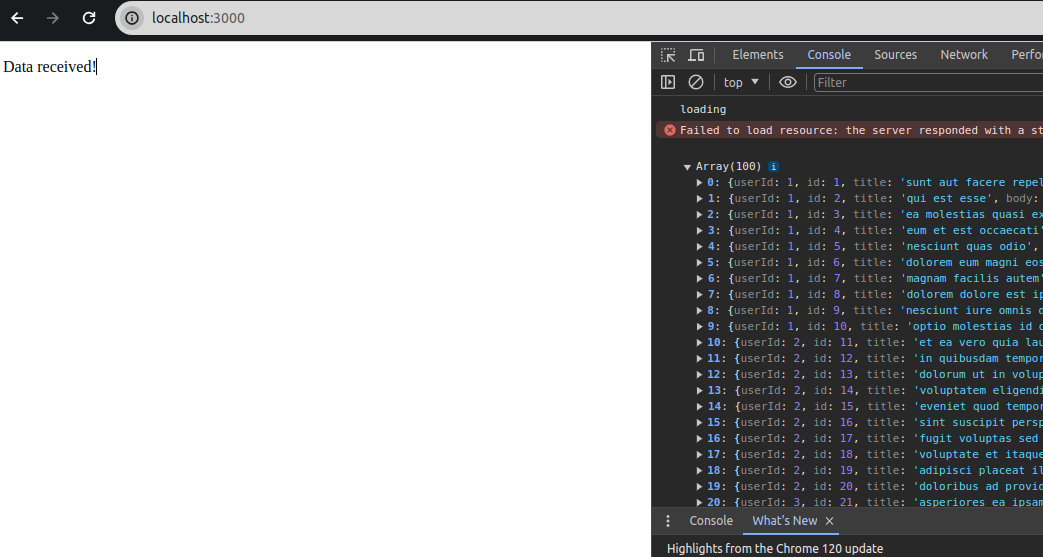
The json we passed in the $.ajax({...}) method had the following properties and here's what they mean:
- url: this is url where we want to send our call.
- method: HTTP method like GET, POST, PUT and DELETE
- dataType: the expected data type from the response.
- beforeSend: function that will be executed right before sending the call.
- success: function to execute on success. This includes responses with with 2xx, 3xx.
- error: function to execute for non-success calls or failures to read/process responses. Example: 4xx, 5xx.
If you need to specify certain headers in your AJAX call you can specify header prop in the object passed to the $.ajax method. Have a look at the JQuery site for more info.
JQuery "mistaking" your success as error
If you can notice I put mistaking in qoutes because it's not really mistaking, but rather something we can easily miss.
Cause of "mistaking" success with error
There is a case that is easy to miss that may cause JQuery AJAX call to think a success call has failed. This happens when we specify the wrong dataType.
So if I am expecting a json response and my server sends me a 200 HTTP Status Code with html content this will classified as an error but there won't be any log to let me know. The reason this becomes an error is because by telling JQuery you expect json it will try to parse the response for you and if it fails even though the response 200 OK, it will just go to the error function.
To illustrate this, I have create an html page that just has an h1 tag as follow:
<!DOCTYPE html>
<html>
<body>
<h1>About Page For Blog</h1>
</body>
</html>
Which simply shows this:
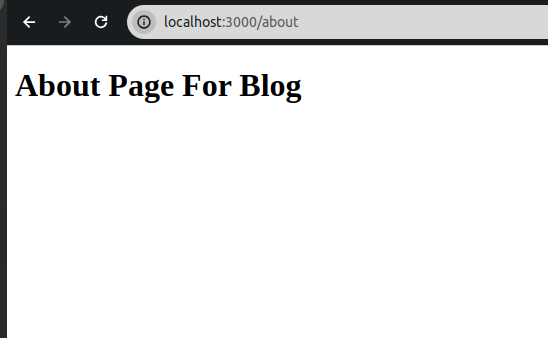
This will be hosted on localhost:3000 same as my html with JQuery. Then I will do a call where I specify dataType: json, then do a call to get this new page. It's as follows:
<!DOCTYPE html>
<html>
<head>
    <script src="https://ajax.googleapis.com/ajax/libs/jquery/3.5.1/jquery.min.js"></script>
    <script>
    $(document).ready(function(){
        $.ajax({
            url: "/about",
            method: "GET",
            dataType: "json",
            beforeSend: function(){
                console.log("loading")
            },
            success: function(result){
                console.log(result);
                $("body").append("<p>Data received!</p>");
            },
            error: function(error){
                console.log(error);
                $("body").append("<p>An error occurred.</p>");
            }
        });
    });
    </script>
</head>
<body>
</body>
</html>
The result:
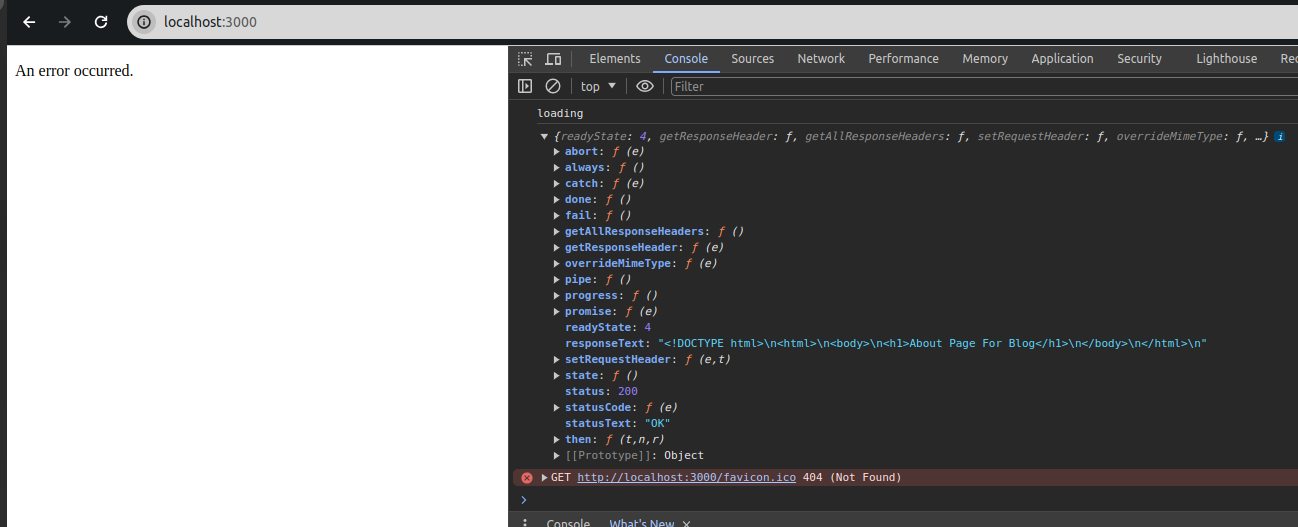
As you can see the responseText which serves as the content of the response is an html about page and status is OK from the part we logged in the console, yet JQuery goes to error hence we see our body appended with An error occurred message.
Again this because we told JQuery: "hey, I am sending an HTTP request and the server must give me back data with dataType json as a response". Then JQuery tries to be nice and parse your responseText for you then it fails, hence calling the error function. So how do we fix this?
Before fixing, I'd like to add that, this isn't a bug by JQuery but rather a feature to make sure your data returned is what you expected so you can maybe do some operations on the JSON response and this again highlights something. The error function is not a function only for failed calls i.e. 500, 400 etc. It is also called by JQuery for process/parse failures so it's good to keep that in mind.
The "fix"
To fix this we would need to change the dataType from json to html. That would stop JQuery from trying to parse your html response into json and calling the error method on failure, it is that simple.
But what if for some reason you are calling an endpoint that can potentially give you both html and json? What do you do then? simple, if we don't specify the dataType value JQuery's Ajax won't even bother to try and parse our response in any way.
It's better to have dataType specified if we know what type of data we want from the server but if we can get more than one dataType just don't specify it.
Conclusion.
This is it for the blog post. Here are some important points we went through:
- JQuery is library that allows us to do DOM manipulation using the function
$(<html-selector>)to make our web application dynamic - AJAX is a means of sending HTTP server requests without loading the whole page.
- JQuery has an AJAX method built into it accessed by
$.ajax({...}) dataTypeis useful for specifying what kind of data we expect back, if not specified JQuery accepts any kind of response.errorfunction is not called when we have HTTP status failures only but rather when JQuery fails to process our server response in anyway.
Keep pretending, until next time!