Passing data around in ReactJs

Hello, Reader! 🙂, It's been a while since I posted something.
In my quest to start with ReactJs I found something interesting about passing data around from component to component and I want to talk about it because it was just amazing!
Without wasting any time let's dive straight into the concepts.
Topics:
- A Component
- Parent-Child Components
- Ohh wow Props!
- Event Props (looking at input tag)
- Ohh Wait, Our Very Own Event Prop!
- Conclusion
A Component
As you might know ReactJs uses components to build up it's user interface. A component can be anything ranging from a Card or a Widget that consists of a text input and a button or simply a div with text.
The idea of these components is to have UI elements that we can re-use as we would with normal html tags like div h1 etc.
Below is how a component is created in ReactJs. This component just renders the text Parent Component on the screen:
import React from "react";

const ParentComponent = () => {
  return (
    <>
      <h1>Parent Component</h1>
    </>
  );
};

export default ParentComponent;
If we reference this component in the App.js we would do this:
import "./App.css";
import ParentComponent from "./Components/ParentComponent";

function App() {
  return (
    <div>
      <ParentComponent />
    </div>
  );
}

export default App;
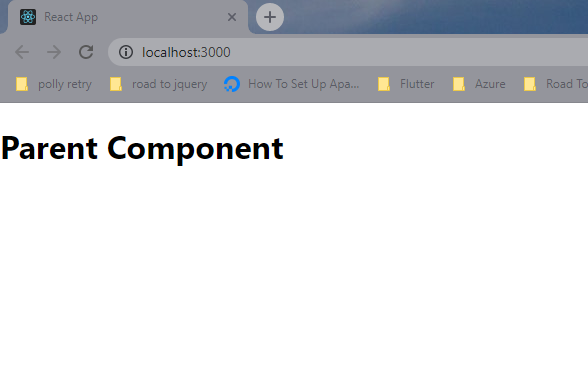
We will see this:
To learn more about Components visit React site 🙂
Parent-Child Components
If you noticed above I called the Parent Component inside the return() function of App.js (a component) this means that the Parent component is the child of the App.js component.
To make this a little clear I will create a component called ChildComponent and this will be called inside the Parent component. Here is how the child will look like:
import React from "react";

const ChildComponent = () => {
  return (
    <>
      <h3>Hello I am a child Component Of ParentComponent</h3>
    </>
  );
};

export default ChildComponent;
In the parent component I will do this:
import React from "react";
import ChildComponent from "./ChildComponent";

const ParentComponent = () => {
  return (
    <>
      <h1>Parent Component</h1>
      <ChildComponent />
    </>
  );
};

export default ParentComponent;
This will give me the result:
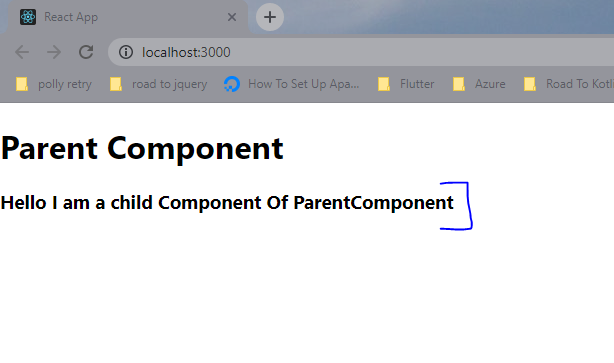
In the ParentComponent I will just reference this file with import ChildComponent from './ChildComponent';. These two files ChildComponent and ParentComponent are in the same directory.
Some Changes:
To demonstrate how passing data works I will edit my Parent and Child components so please bare(🐻) with me 🙂. This how both files will change:
//ChildComponent.js
import React, { useState } from "react";

const ChildComponent = (props) => {
  const [value, setValue] = useState("");
  const [displayValue, setDisplayValue] = useState("");

  const handleChange = (event) => {
    setValue(event.target.value);
  };

  const handleSubmit = (event) => {
    event.preventDefault();
    setDisplayValue(value);
    setValue("");
  };

  return (
    <>
      <h3>The User Inputted: {displayValue}</h3>
      <form onSubmit={handleSubmit}>
        <label>
          Insert Data Here:
          <input type="text" onChange={handleChange} value={value} />
        </label>
        <input type="submit" value="Submit" />
      </form>
    </>
  );
};

export default ChildComponent;
//ParentComponent.js
import React from "react";
import ChildComponent from "./ChildComponent";

const ParentComponent = () => {
  return (
    <>
      <h1>Parent Component</h1>
      <ChildComponent />
    </>
  );
};

export default ParentComponent;
The Result:
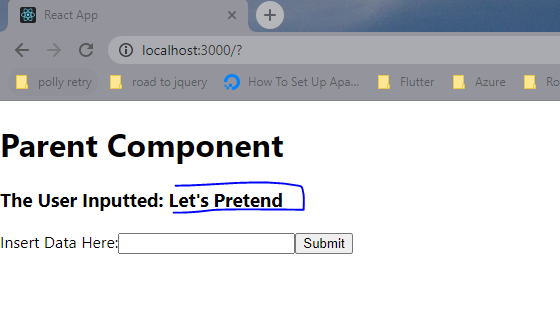
The above just displays whatever a users inputs and if you check my child component now has a props argument. Why? Well let's talk about props a little.
Ohh wow Props!
So far I just touched base on some ReactJs functionalities and didn't talk about moving data around. Props will help us move data from parent-to-child and child-to-parent (in a slick way!).
Props is short for properties and this argument can get data from the parent component and pass it down to the child component, let's see how.
If in my ParentComponent file I do something like:
//define const in ParentComponent function/component
const message = 'I come from parent'

//create custom property called parentMsg
//this custom property can have any name.
<ChildComponent parentMsg={message}>
To get this piece of data in the child I will call props.parentMsg from inside the child component. Like this:
<h5>Message from parent: {props.parentMsg}</h5>
This will result into something like:
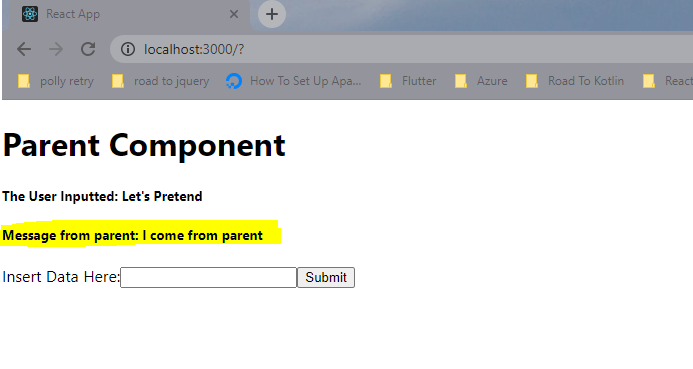
As we can see props allow the parent component to pass data down to the child but how does the child give data to the parent component? Well, props and pointers. Let's look at how that is done.
Event Props
Event props are used to get data from a child component and then pass the data to the parent component. You essentially pass a pointer to a function defined in the parent component via props to a child component.
This function will get executed in the parent component when called in child component and it can have data from the child component. Okay! That sounded like something from a movie, let us slow down and look at what I mean by all this. 🙂
One example of this would be the onChange event handler. For a minute let's think of the custom html input tag as a ReactJs component then look closely at this piece of code from the ChildComponent.js file:
<input type="text" onChange={handleChange} value={value} />
we also added handleChange function in the child component that recieves an event argument:
const handleChange = (event) => {
  setValue(event.target.value);
};
Whenever we click on a button, input or other html elements an onClick/onChange event happens. Whenever this happens in ReactJs, reacts brings back an event object that we can use.
More on events here. This is just a Javascript conecpt extended in ReactJs. Events are not a ReactJs feature.
We then use that event object to get the data from the input "component". What we did here was to a pass function pointer of handleChange as a onChange prop to the input "component" then whenever a new value is inserted (onChnage event happens) in the input box the handleChange function from the parent component will be called with event object from the child component (input component). It pushed up (passed data) the event object to the component that uses it, in this instance the ChildComponent.js then the ChildComponent.js displayed the value.
A pointer is just a reference to a function. What we are actually saying here is that whenever an onChange happens the input component should use the function handleChange to "react" to the change. The code that will run will be from the ChildComponent.js.
That was a little too much, I am sure an example can do now. Let's see how we can do this with our custom components.
Ohh Wait, Our Very Own Event Prop!
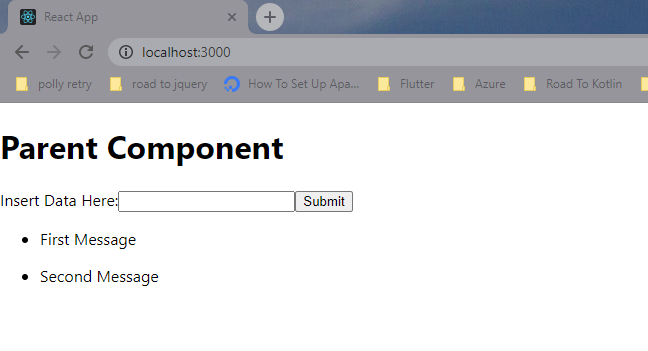
I will have to edit my components such that we have an unordered list rendered in the Parentcomponent.js file. Our ChildComponent.js will still have a form with one submit button. Whenever we submit some text that text will be rendered in the ParentComponent.js. Intially our list has two messages/text/strings
This example will help see how the child can pass data to the parent component
Parent Component
import React, { useState } from "react";
import ChildComponent from "./ChildComponent";

const ParentComponent = () => {
  const [listOfMessage, setListOfMessage] = useState([
    "First Message",
    "Second Message",
  ]);

  return (
    <>
      <h1>Parent Component</h1>
      <ChildComponent />
      <ul>
        {listOfMessage.map((message, index) => (
          <li key={index}><p>{message}</p></li>
        ))}
      </ul>
    </>
  );
};

export default ParentComponent;
The child component:
import React, { useState } from "react";

const ChildComponent = (props) => {
  const [value, setValue] = useState("");

  const handleChange = (event) => {
    setValue(event.target.value);
  };

  return (
    <>
      <form onSubmit={handleSubmit}>
        <label>
          Insert Data Here:
          <input type="text" onChange={handleChange} value={value} />
        </label>
        <input type="submit" value="Submit" />
      </form>
    </>
  );
};

export default ChildComponent;
useReact() function is a React hook for creating state variables. Hooks help provide react capabilities to function components (capabilities you would otherwise find in class components). Please visit ReactJs hooks for more.
whenever state variables change react renders the view with the new data, no reload needed!
That will result to this:
So to make this a little interesting let's try add a new message when we submit a form (i.e move data from Child to Parent).
First we are going to create a handler/listner/event prop. This is the function we are going to define in the Parent component then pass the pointer to the child. Let's the following in the ParentComponent.js:
  const handleMessageAdd = (message) => {
    //undate list with message from child
    setListOfMessage((prevListOfMessages) => {
        return [...prevListOfMessages, message];
    })
  }

//in return function
//pass pointer to handleMessageAdd no "()"
<ChildComponent onAddMessage={handleMessageAdd}/>
What this does is to add a message to our listOfMessages state variable. Then React will re-render our UI since listOfMessages is a state variables. We then pass the pointer to handleMessageAdd as prop to the child component.
In the child component let's add this bit of code:
  const handleSubmit = (event) => {
    event.preventDefault();
    //function will be triggered in parent component.
    props.onAddMessage(value);
    setValue('')
  };
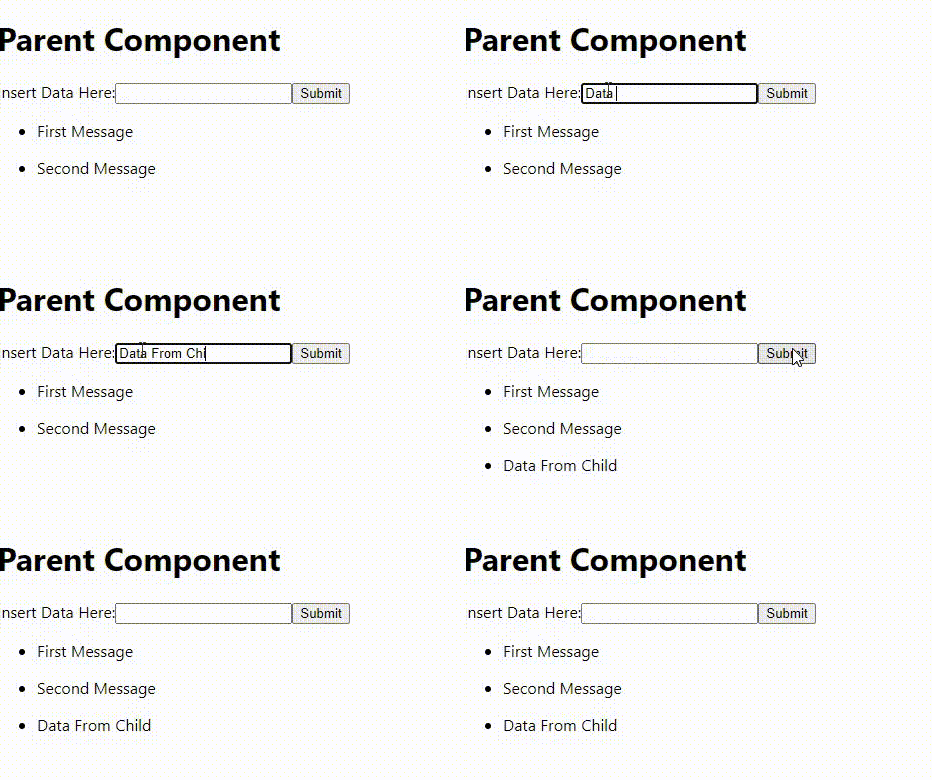
Now when I submit my form we will call handleMessageAdd from the parent. This is possible because in the child we have a reference pointer onAddMessage passed as a prop. So technically we are calling a function in ParentComponent using the data from the ChildComponent
The child component recieves a pointer and when we invoke this pointer in the child component like this: props.onAddMessage(value) we are just calling the parent function we passed in the prop with data from the child component.
This way the parent component can be able to act on the data from the child. Here is the final product (not fancy looking but hopefully the point is clear):
Conclusion
This has been a long one, but here is a quick summary of to passing data in ReactJs:
- To pass data from parent to child. Define custom property on the child component like:
<ChildComponent customProp={data}> - In the child component access the data from the props argument like:
props.customPropthis will give you whatever valuedatahas. - To pass data from child to parent. Define custom property BUT pass a pointer to a function defined in the parent.
- passing a pointer to a function as a prop allows us to use the child data in the parent component.
Until next time, happy coding! 👋🚀